anchor.hx
Save and restore your open buffers per workspace
- Stars: 2
- Last commit:
- Created:
Save and restore your open buffers per workspace
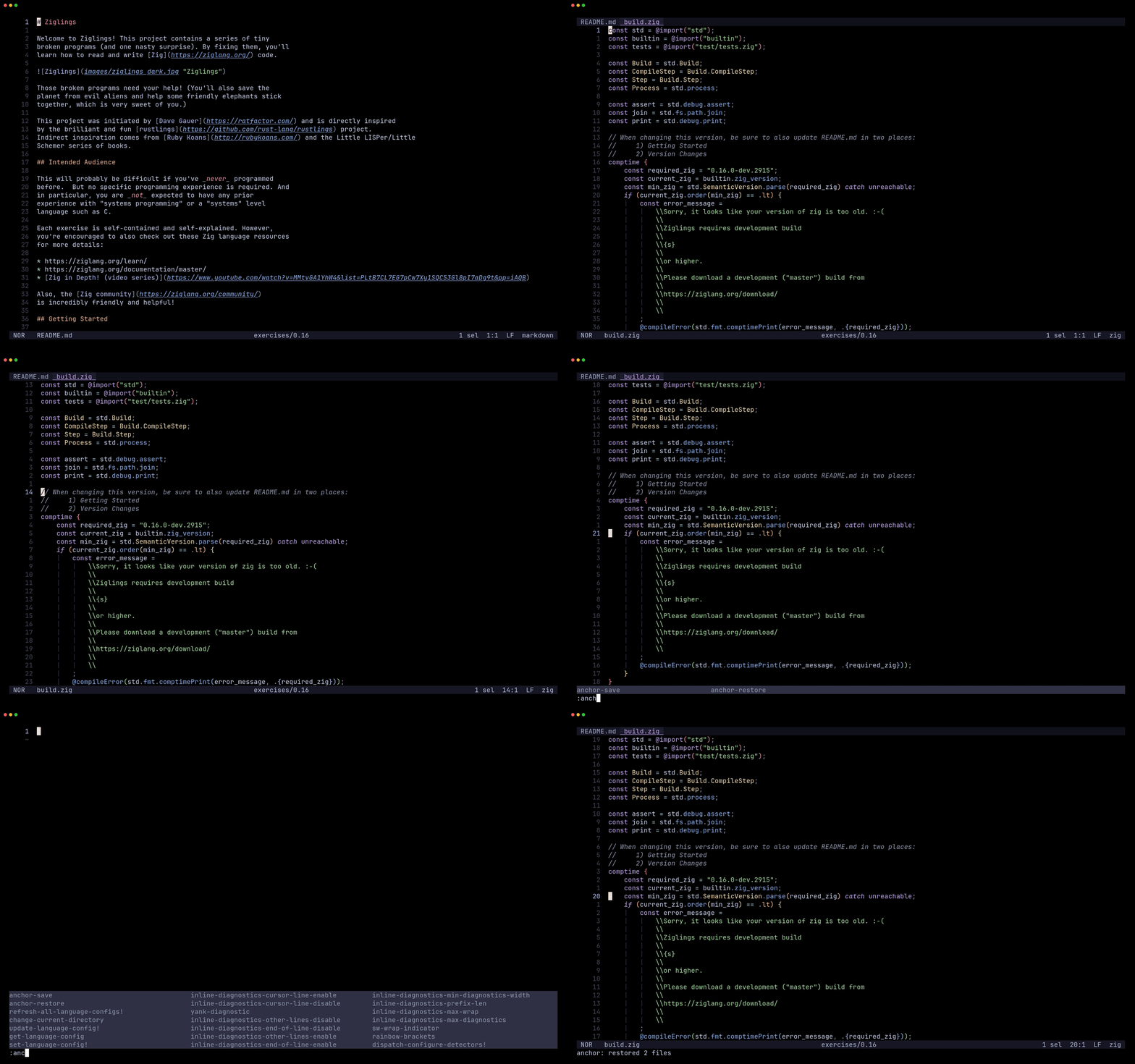
anchor.hx saves and restores your open buffers for Helix, scoped to the current workspace.
Run :anchor-save before you close up for the day, :anchor-restore next time you open the project to get every file back.
1. Install the plugin-enabled fork of Helix by following the instructions here.
2. Install anchor.hx via forge:
forge pkg install --git https://github.com/Ra77a3l3-jar/anchor.hx.git
3. Load the plugin by adding this to your init.scm:
(require "anchor/anchor.scm")
| Command | Action |
|---|---|
:anchor-save | Save every open file and the cursor line of the focused one |
:anchor-restore | Reopen the last saved session for this workspace |
Bind them to keys, e.g. in init.scm:
(keymap (global)
  (normal
    (space
      (a
        (s ":anchor-save")
        (r ":anchor-restore")))))
Sessions are stored one per workspace (keyed by the current working directory). Only the focused file's cursor line is restored, column position and split layout aren't tracked.