trail.hx
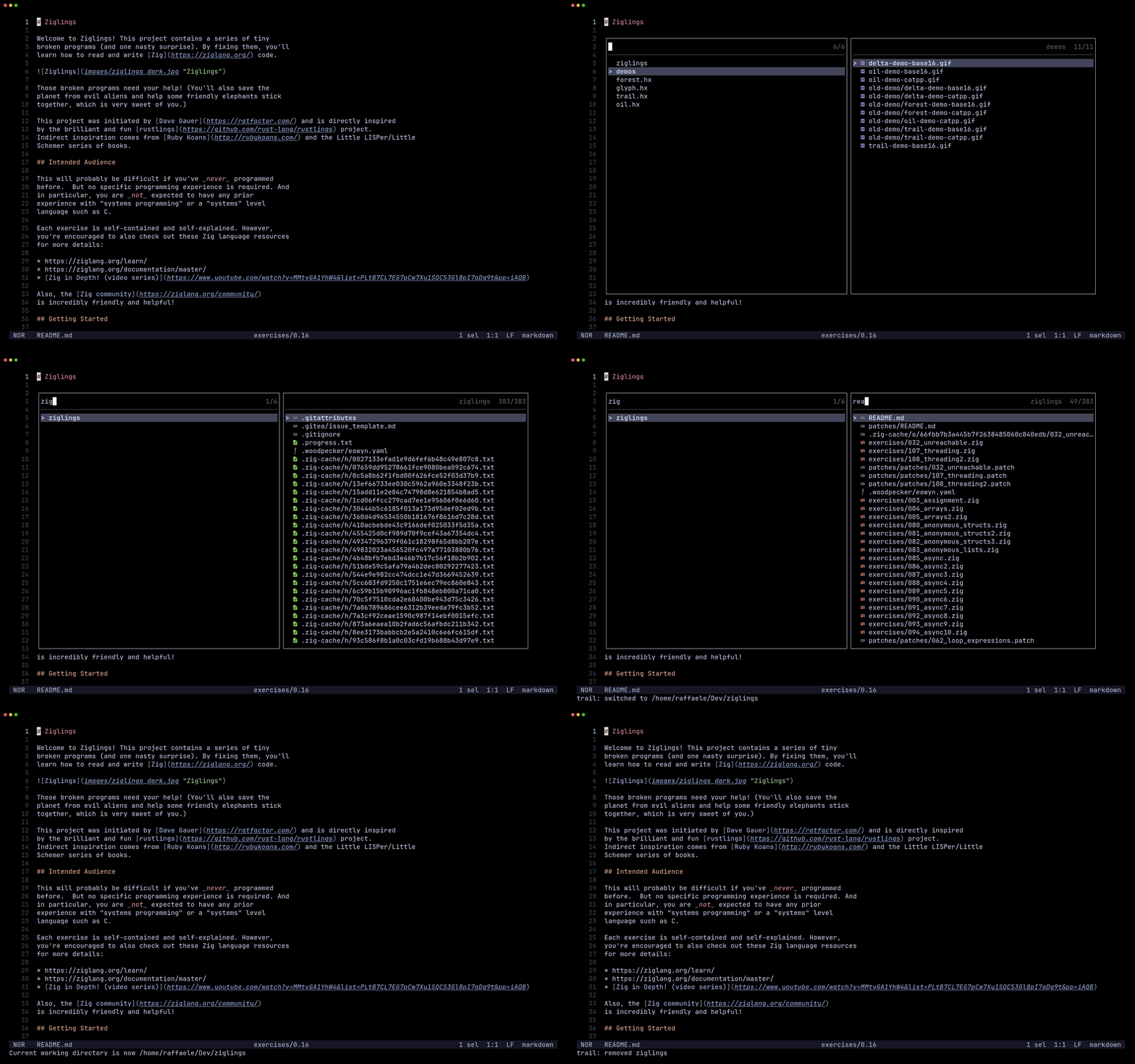
Recent project picker. Jump to a recent project and browse its files side by side
Recent project picker. Jump to a recent project and browse its files side by side
trail.hx is a recent-projects picker for Helix.
Jump to a recent project and browse its files side by side, without ever leaving the picker.
1. Install the plugin-enabled fork of Helix by following the instructions here.
2. Install trail.hx via forge:
forge pkg install --git https://github.com/Ra77a3l3-jar/trail.hx.git
Or clone this repo directly into your Steel cogs directory (usually ~/.steel/cogs/).
3. Load the plugin by adding this to your init.scm:
(require "trail/trail.scm")
| Command / Key | Action |
|---|---|
Tab | Switch focus between panes |
j/k or ↑/↓ | Move the cursor |
Enter | Projects pane: cd into the project and focus the files pane. Files pane: open the file |
Ctrl-x | Remove the highlighted project from the list |
Bind :trail-open to a key, e.g. in init.scm:
(keymap (global)
  (normal
    (space
      (p ":trail-open"))))
Recent projects are tracked automatically by Helix's workspace root each time it starts, and the files pane is scoped to whatever project you select.