matte.hx
Zen mode for Helix: centre the buffer and zoom the focused split
Zen mode for Helix: centre the buffer and zoom the focused split
Zen mode for the Helix editor, written in Steel Scheme: a centred text column, and zoom on the focused split.
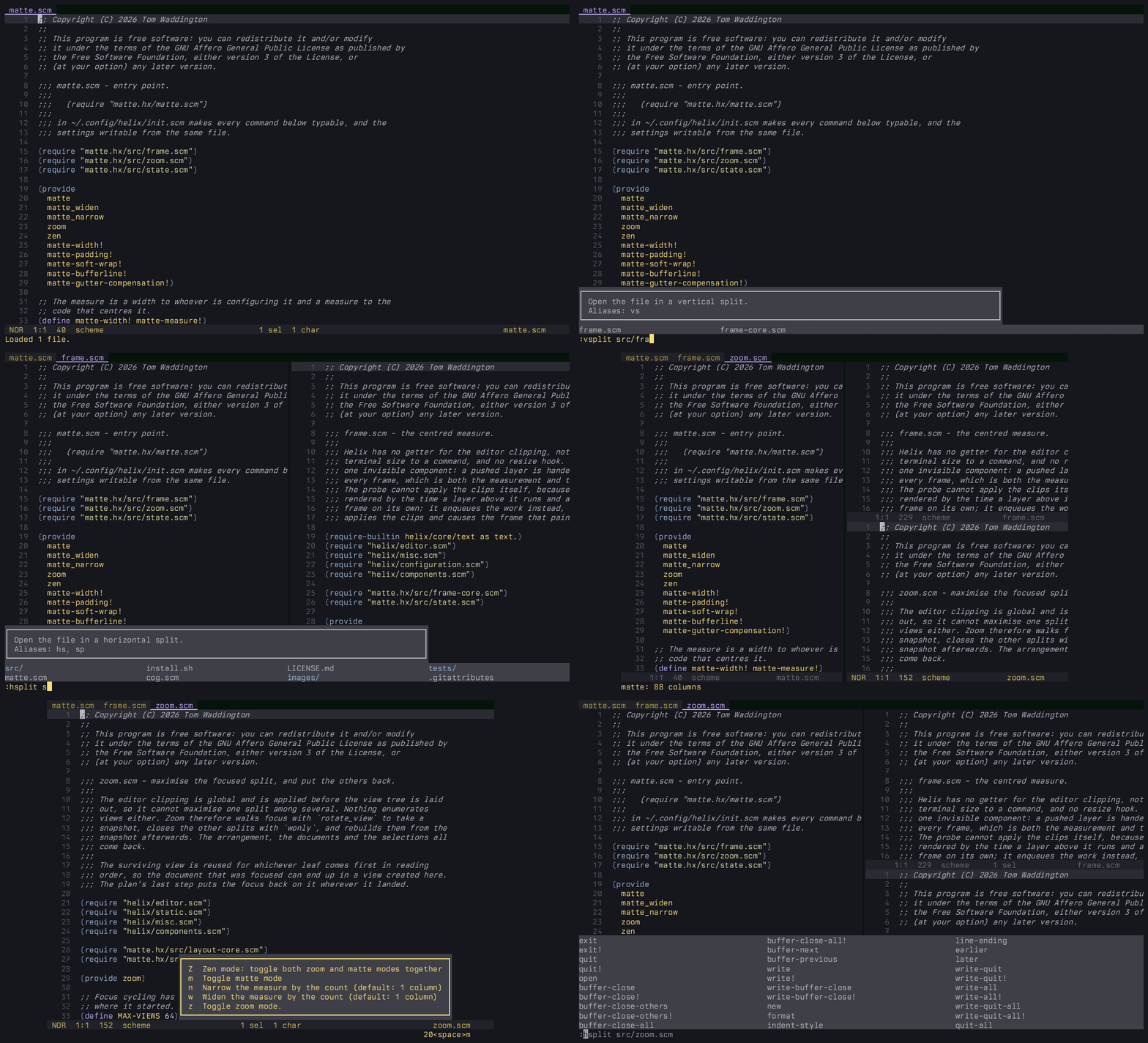
:matte clips the editor to a measure and centres it in the terminal. It can
also soft wrap at that measure and hide the bufferline; both are off unless you
ask for them.
:zoom maximises the focused split and puts the others back afterwards.
Requires a plugin-enabled Helix build. With forge, Steel’s package manager:
forge pkg install --git https://github.com/waddie/matte.hx
Then in ~/.config/helix/init.scm:
(require "matte.hx/matte.scm")
Or, from a checkout, ./install.sh.
| Command | Action |
|---|---|
matte | Toggle centring |
matte_widen | Widen the measure by the count, entering the mode first |
matte_narrow | Narrow the measure by the count |
zoom | Toggle zoom on the focused split |
zen | Toggle matte and zoom modes together, for convenience |
Settings are functions, called from init.scm before or after the require:
(require "matte.hx/matte.scm")

(matte-width! 88)                  ; columns of text, default 88
(matte-padding! 0)                 ; rows of inset top and bottom, default 0
(matte-soft-wrap! #false)          ; soft wrap at the measure, default off
(matte-bufferline! #false)         ; hide the bufferline, default off
(matte-gutter-compensation! #true) ; centre the text, not the view
Gutter compensation is the difference between centring the text column and centring the view. The gutter sits inside the view, so without it the text reads as sitting right of centre by the width of the line numbers.
A count only reaches a command through a keybinding, so bind the two that take one:
(require "helix/keymaps.scm")
(require "matte.hx/matte.scm")

(keymap (global)
  (normal
    (space (m
            (m ":matte")
            (w ":matte_widen")
            (n ":matte_narrow")
            (z ":zoom")
            (Z ":zen"))))
  (select
    (space (m
            (m ":matte")
            (w ":matte_widen")
            (n ":matte_narrow")
            (z ":zoom")
            (Z ":zen")))))
wonly leaves
one view behind, and the rebuild reuses it for whichever split comes first in
reading order, so your document can end up in a view made during the rebuild.
Its selection comes with it and the focus follows it. Its jump list does not,
and neither does the scroll position: every split is centred on its cursor.space menu and friends) lands in the wrong place,
and can come out truncated. Unavoidable without Helix changes: Info::render
(helix-term/src/ui/info.rs) positions itself with the viewport’s width and
height used as screen coordinates, ignoring the viewport’s origin. Theoretically
fixable in Helix by anchoring to viewport.right() and viewport.bottom().measure + gutter wide, so when there is not enough slack
for both margins the text sits as close to centred as it can get.:config-reload turns the mode off. Helix resets the clipping and reruns
init.scm on reload, so the state the plugin holds goes with it.soft-wrap in languages.toml is not touched, and not restored.: has no count
to read, so matte_widen and matte_narrow move by one column.Helix can trim rows and columns off the edges of the editor. There are four
setters for it, set-editor-clip-{top,bottom,left,right}!. Centring the text
is no more than trimming the left and right by the right amounts. The two
amounts are not the same, because the gutter takes up room on the left of the
text and has to be paid for out of the left margin.
To work those amounts out, the plugin needs to know how wide the terminal is. Nothing tells a command that, and nothing tells it when the terminal has been resized. What Helix does do is give every layer that draws on screen the size of the whole terminal, every time it draws. So while the mode is on, the plugin keeps a layer of its own up there. It draws nothing at all. It reads the size, and when the size changes it asks for the trims to be worked out again.
It asks, rather than doing it on the spot, because by the time that layer draws, the editor underneath it has already drawn. Trimming at that point would change nothing until the next redraw, and resizing the terminal does not cause one by itself. The request runs a moment later, sets the trims, and brings about the redraw that shows them.
Zoom works another way entirely. The trims apply to the editor as a whole, before it is divided into splits, so they cannot single one split out. There is also no way to ask which splits are open. So zoom moves the focus from split to split and stores what it is showing, where it sits on screen, and what is selected in it. Then it closes all of them but the one you are in.
Toggling it off builds them again from that saved state. Helix only ever divides an area in one direction at a time, so any line that crosses the whole editor without cutting through a split was a divider, and the rectangles are enough to work out how the splits were arranged. Rebuilding then goes area by area: make all the splits an area is divided into first, and only then divide each of those in turn. In that order Helix puts every new split where it belongs.
The pure logic (clip arithmetic, snapshot ordering, rebuild planning) is unit
tested and runs headless. Requires
steel-test in ~/.steel/cogs:
sh tests/run-all.sh
The command modules require Helix modules, which cannot load under the bare
steel CLI, so they are verified in the editor rather than in the suite.
AGPL-3.0. See LICENSE.
README from waddie/matte.hx · GNU Affero General Public License v3.0