previously.hx
Unified register history for yanks, searches, and typed commands
Unified register history for yanks, searches, and typed commands
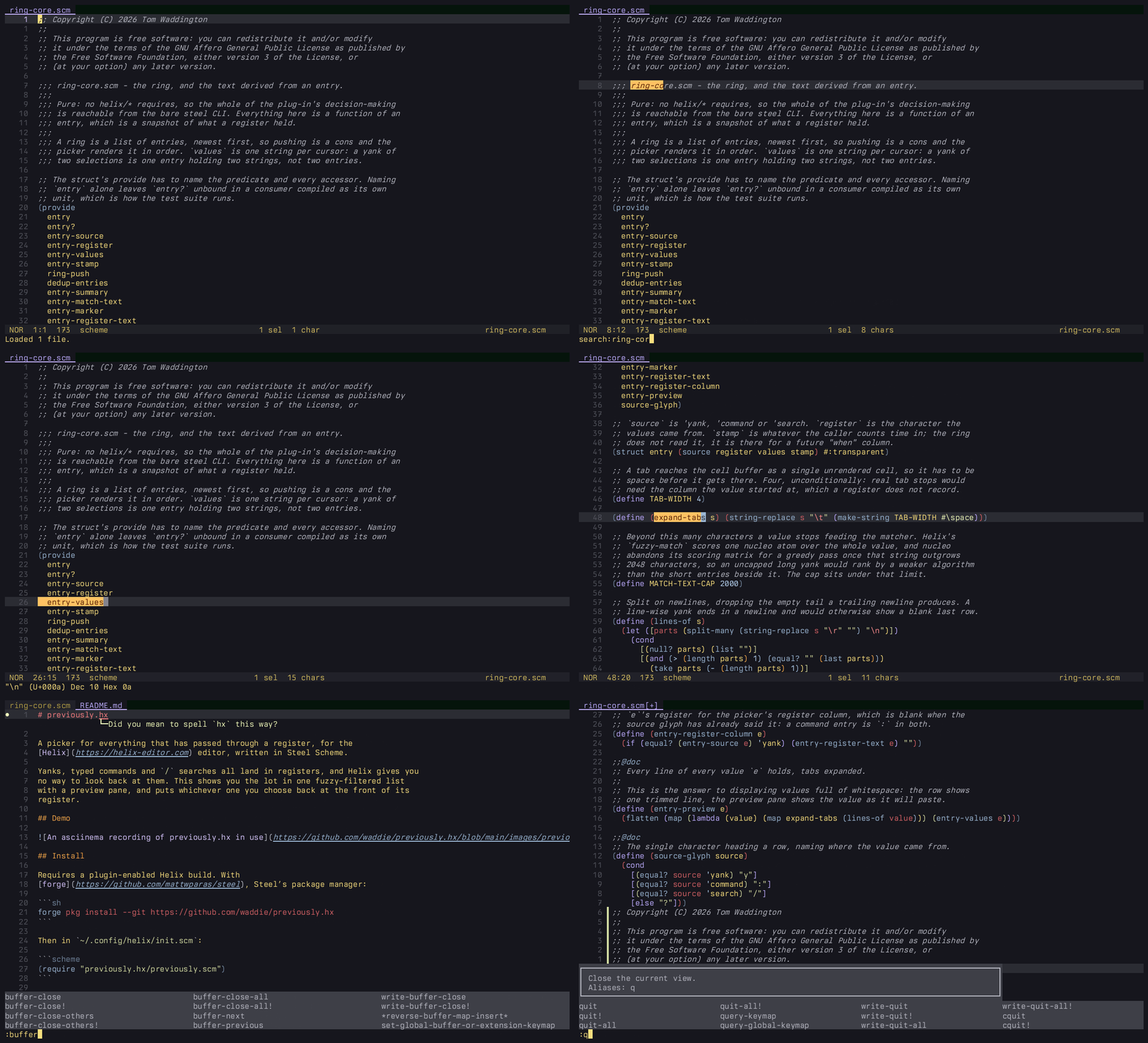
A picker for everything that has passed through a register, for the Helix editor, written in Steel Scheme.
Yanks, typed commands and / searches all land in registers, and Helix gives you
no way to look back at them. This shows you the lot in one fuzzy-filtered list
with a preview pane, and puts whichever one you choose back at the front of its
register.
Requires a plugin-enabled Helix build. With forge, Steel’s package manager:
forge pkg install --git https://github.com/waddie/previously.hx
Then in ~/.config/helix/init.scm:
(require "previously.hx/previously.scm")
Capture starts at load, and :previously opens the picker.
Run :previously. The list holds every yank captured since Helix started,
then your : history, then your / history. Type to filter across all three.
The preview pane holds the whole value, which is how a yank full of whitespace
becomes readable.
Rows are y, : or / for where the value came from, then the register
character, then the first line of the value, then (N) when a yank spans
several cursors.
Typed text filters the value. A column takes its own filter under the %name
syntax Helix’s own pickers use, so %s narrows by source, %r by register and
%v by value. A literal percent is \%.
Enter stages. Alt-Enter acts immediately.
| Source | Enter | Alt-Enter |
|---|---|---|
| Yank | rewrites its register, so p pastes it | pastes it now |
: | pulls it to the front of :, opens the prompt | same as Enter |
/ | pulls it to the front of /, so n finds it | searches for it now |
A command entry opens the prompt showing the chosen line as its suggestion:
Enter runs it, Up puts it in the line so you can edit it first. That falls
out of Helix’s own prompt, which suggests and runs the newest : entry when
the line is empty, so pulling one to the front is all this has to do.
Optional, after the require:
(previously-configure!
  (hash 'watch (list #\" #\a #\b) ; registers to capture yanks from
        'cap 50 ; entries kept per register
        'commands? #true ; include the : history
        'searches? #true)) ; include the / history
Any subset of the keys will do. The defaults are the yank register plus a-z,
100 entries per register, and both histories included.
(require "helix/keymaps.scm")
(require "previously.hx/previously.scm")

(keymap (global)
  (normal
    (C-p ":previously"))
  (select
    (C-p ":previously")))
: entry does
what Enter does. Helix’s suggest-and-run behaviour makes that one keystroke
rather than a shortfall, but it is still a prompt you have to confirm.take()s
editor.selected_register before the command runs, so during the capture hook
because the plug-in saw you type "b.+ and * are never watched. Reading either calls the system clipboard
provider, so watching them would reach for the clipboard after every yank.p reads. Enter
stages to the entry’s own register and leaves the default alone.% starts a column filter. A literal % in a value, in a printf format
or a SQL LIKE or a CSS unit, has to be typed \% to be searched for.
Helix’s own pickers read % the same way.: history nor
registers.steel-test](https://github.com/waddie/steel-test) in ~/.steel/cogs:
sh tests/run-all.sh
The capture hook and the picker require Helix modules, which cannot load under
the bare steel CLI, so they are verified in the editor rather than in the
suite.
AGPL-3.0. See LICENSE.
README from waddie/previously.hx · GNU Affero General Public License v3.0